Testing your shop with the UCP Simulator
The UCP Simulator is a separate tool that ships alongside Shopware in
6. Testing your shop with the UCP Simulator
The UCP Simulator is a separate tool that ships alongside Shopware in
this repository (simulator/). It's a shop-agnostic, ChatGPT-style test
harness for any UCP-compliant business — including your own shop.
Use it to:
- Verify that your shop's
/.well-known/ucpis well-formed. - Walk through every UCP flow end-to-end before going live.
- Reproduce edge cases that a real agent might trigger.
- Show non-technical stakeholders what AI-agent interaction with your shop actually looks like.
6.1 Starting the simulator
cd simulator
npm install
npm run dev
Then open http://localhost:4100. You see a three-pane layout: the configuration sidebar on the left, the ChatGPT-style conversation in the centre, and a full HTTP debug pane on the right.
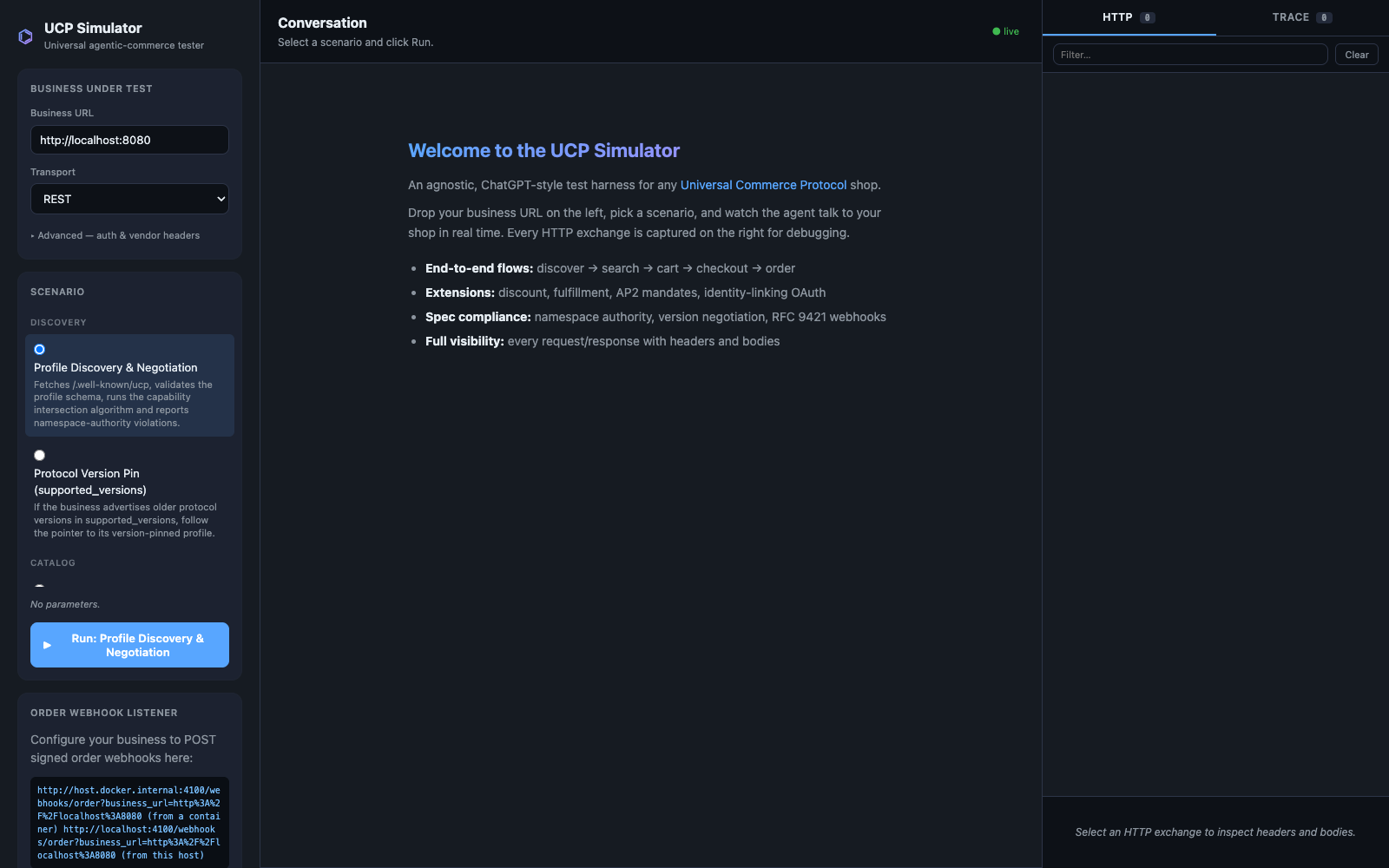
6.2 Pointing it at your shop
In the Business URL field on the left, paste the full URL of any UCP
shop. For a local Dockware container that's http://localhost:8080. For
a real production shop it's https://shop.example.com.
Pick a transport (REST is the safest default), choose a scenario, and click Run.
6.3 Running a full checkout against your shop
The most useful scenario for a shop owner is Checkout: end-to-end happy path. It exercises the entire buyer journey: discovery → catalog search → cart creation → checkout creation → order placement.
Each step is rendered as a chat bubble:
- The agent (green avatar) narrates what it's doing.
- The shop (blue avatar) replies with rich cards: real product images and prices, cart summaries, checkout state, and an order-placed confirmation.
- The system (gray avatar) reports spec violations and protocol-level state transitions.
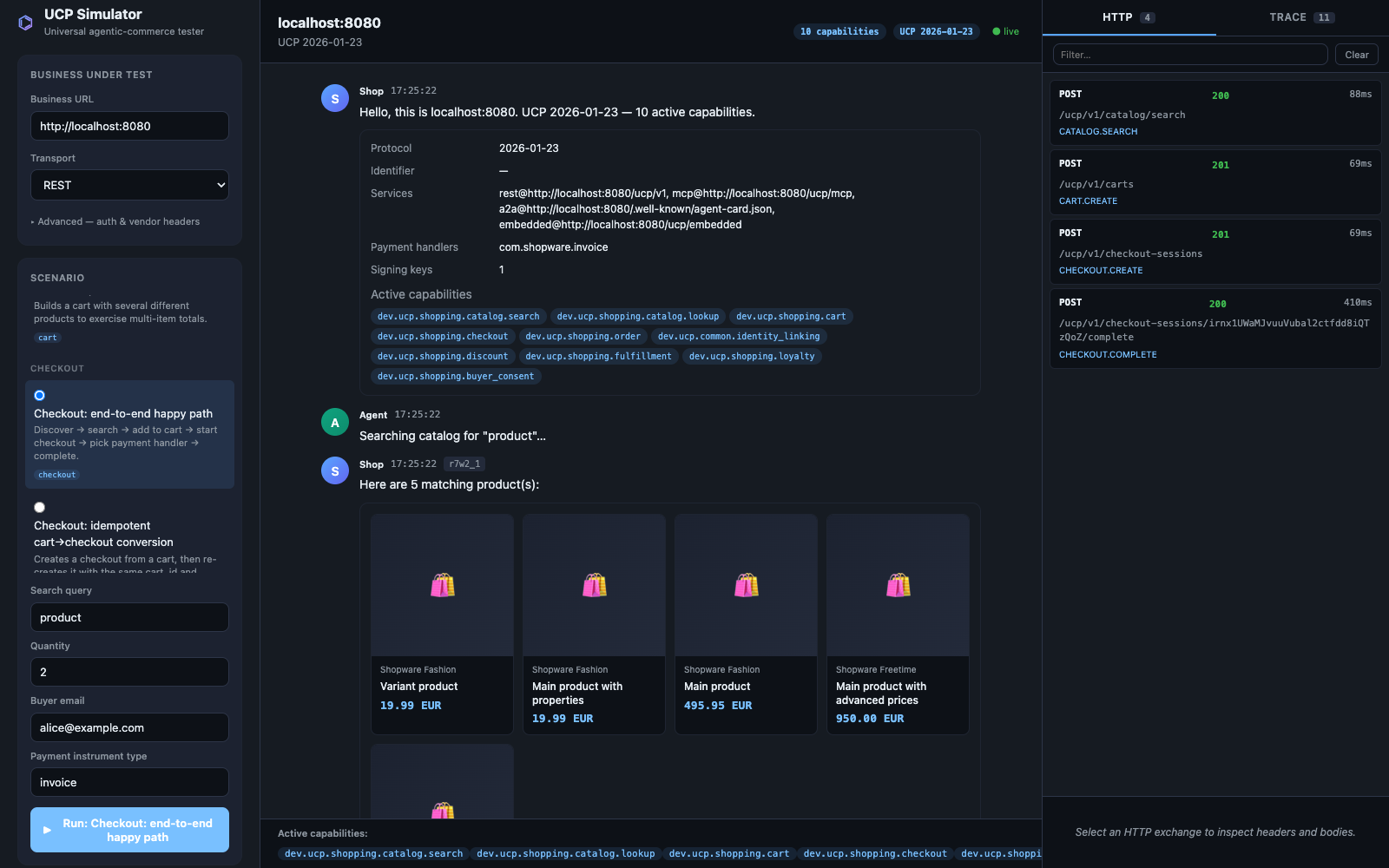
The cart and checkout cards keep scrolling and at the bottom you see the final order confirmation:
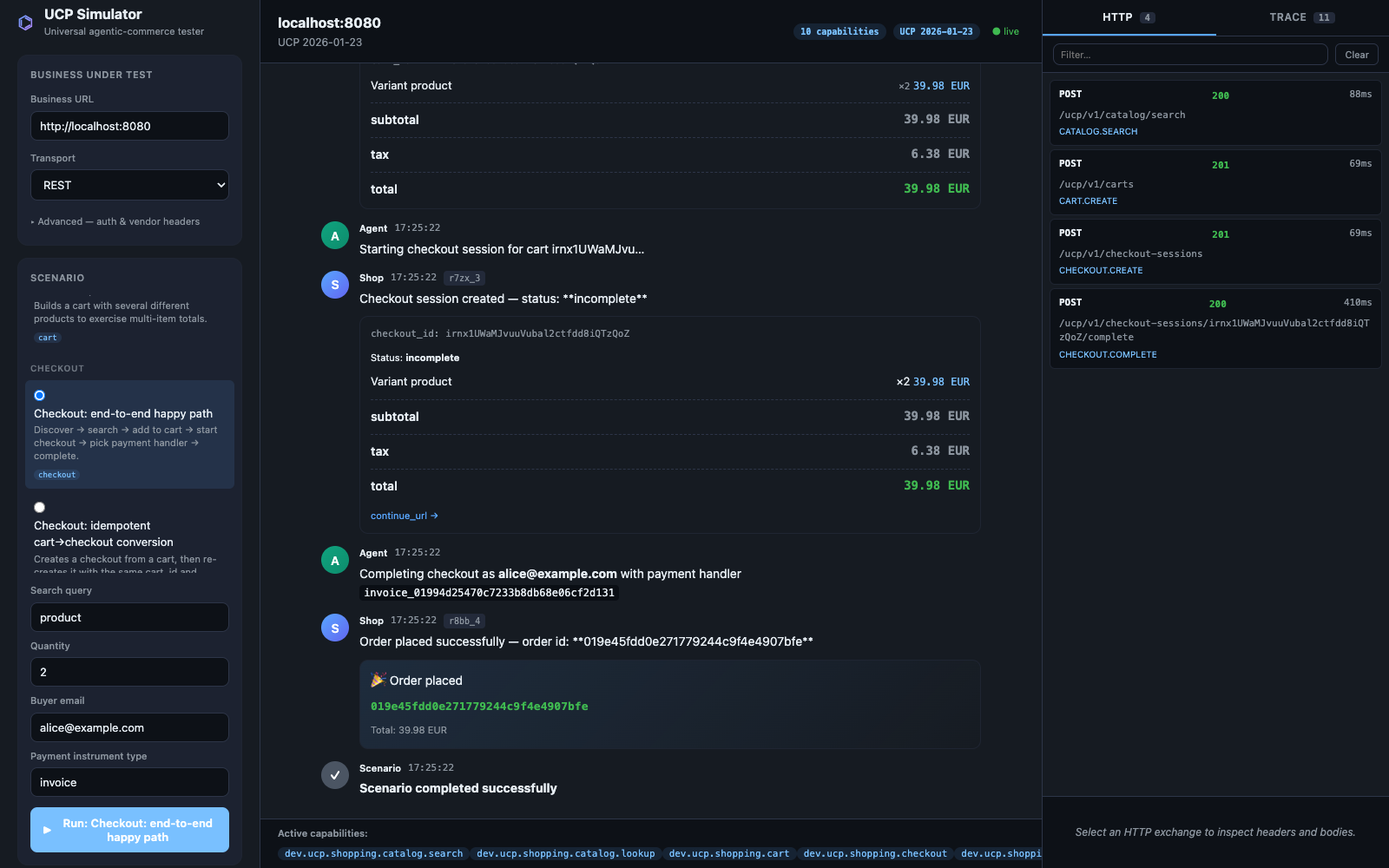
6.4 Reading the debug pane
Every HTTP request and response the simulator makes is captured on the right. Click any row to expand the full request/response with headers, body (JSON-prettified), status code, and round-trip time:
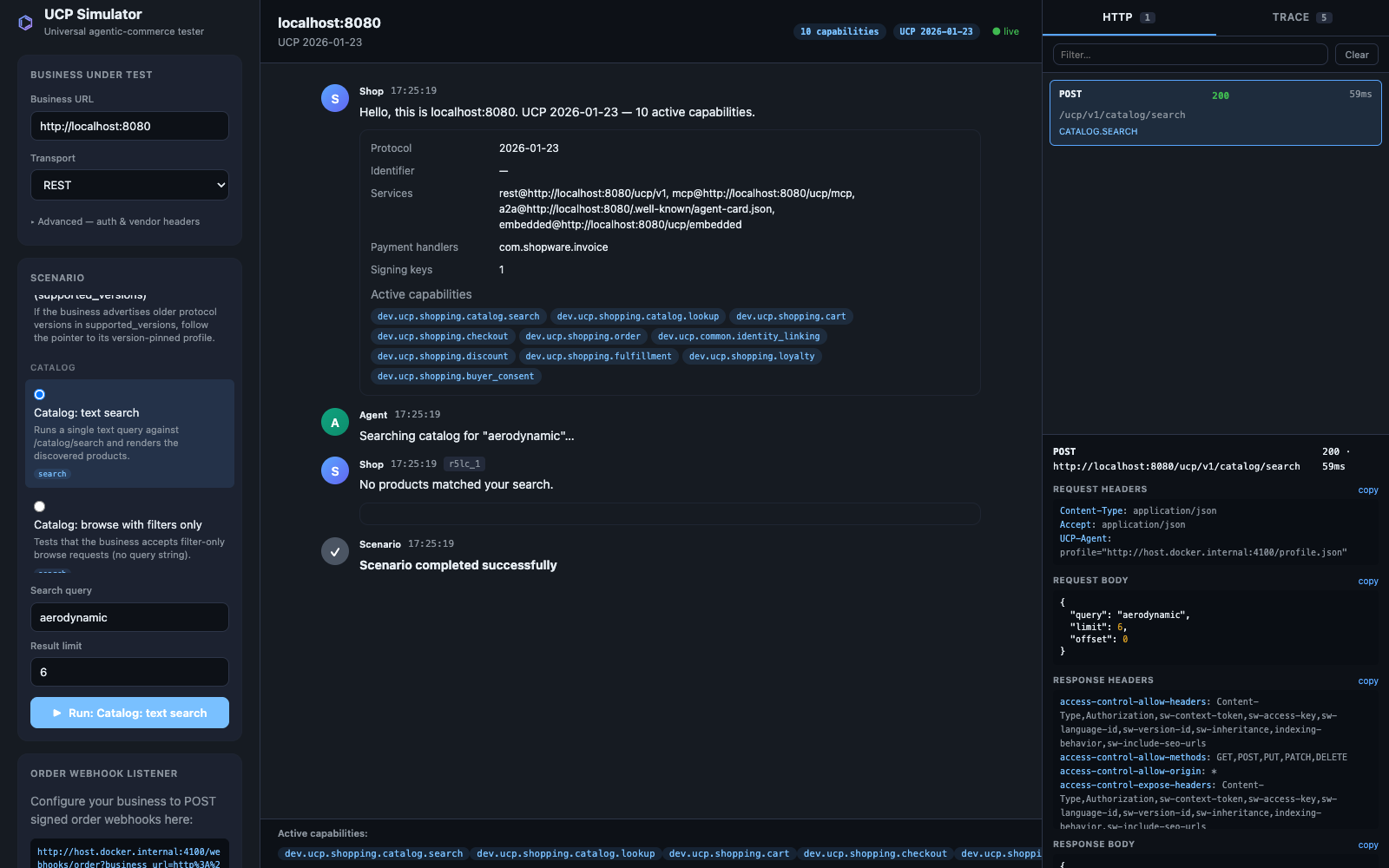
Each conversation bubble in the centre carries a tiny ex#… chip linking
to the HTTP exchange that produced it — click the chip to jump straight
to the wire-level detail.
6.5 Available scenarios
The picker groups scenarios by category. The most commonly used ones:
| Category | Scenario | What it verifies |
|---|---|---|
| Discovery | Profile Discovery & Negotiation | Your /.well-known/ucp is reachable, well-formed, and negotiates against the simulator's full capability set. |
| Catalog | Catalog: text search | A simple POST /ucp/v1/catalog/search returns products. |
| Catalog | Catalog: browse with filters only | Filter-only browsing (no query string) works. |
| Catalog | Catalog: cursor pagination | Cursor pagination rejects tampered and cross-query cursors. |
| Catalog | Catalog: lookup by IDs | Batch lookup works through REST and MCP lookup_catalog. |
| Cart | Cart: full lifecycle | Create → update qty → cancel succeeds without errors. |
| Cart | Cart: multiple items | Multi-item totals add up correctly. |
| Checkout | Checkout: end-to-end happy path | The full journey ending in an order_id. |
| Checkout | Checkout: idempotent cart→checkout conversion | The same cart_id returns the same checkout_id. (Required by spec.) |
| Extensions | Extension: discount code | A discount code is accepted and reflected in totals. |
| Extensions | Extension: AP2 mandate (signed checkout) | Cryptographic checkout-mandate flow works. (Requires the AP2 plugin.) |
| Extensions | Extension: AP2 SD-JWT VC + Key-Binding | Production AP2 SD-JWT + KB-JWT mandate flow works. |
| Identity | Identity: OAuth metadata discovery | Your /.well-known/oauth-authorization-server exposes the required PKCE/iss fields. |
| Identity | Identity: build authorization URL (PKCE) | OAuth handshake can be initiated. |
| Webhooks | Webhooks: open listener | Discovers your shop and prints the webhook URL the shop should POST signed order events to. |
| Compliance | Compliance: full UCP test suite | Runs every applicable scenario in sequence — a great daily smoke-test. |
AP2 is negotiated only for the AP2 scenarios. This keeps normal checkout scenarios on the standard checkout flow while still testing the AP2 security-locked flow separately.
6.6 Trying it from a non-developer machine
If you don't have Node.js installed locally and don't want to install it, ask your developer or hosting partner to start the simulator on a shared machine inside your network. The simulator is a single Node process with no database; it reaches your shop directly over HTTPS.