Enabling UCP per Sales Channel
UCP support ships with Shopware 6.8+. During the experimental phase it is
2. Enabling UCP per Sales Channel
UCP support ships with Shopware 6.8+. During the experimental phase it is
gated behind the UCP_SERVER feature flag.
2.1 Activate the feature flag
Ask your hosting partner (or your DevOps team) to add the following line to
your shop's .env:
UCP_SERVER=1…and restart the application container. If you self-host, you can also use the CLI:
bin/console feature:enable UCP_SERVEROnce active, a new entry appears in Settings → System → Universal Commerce Protocol.
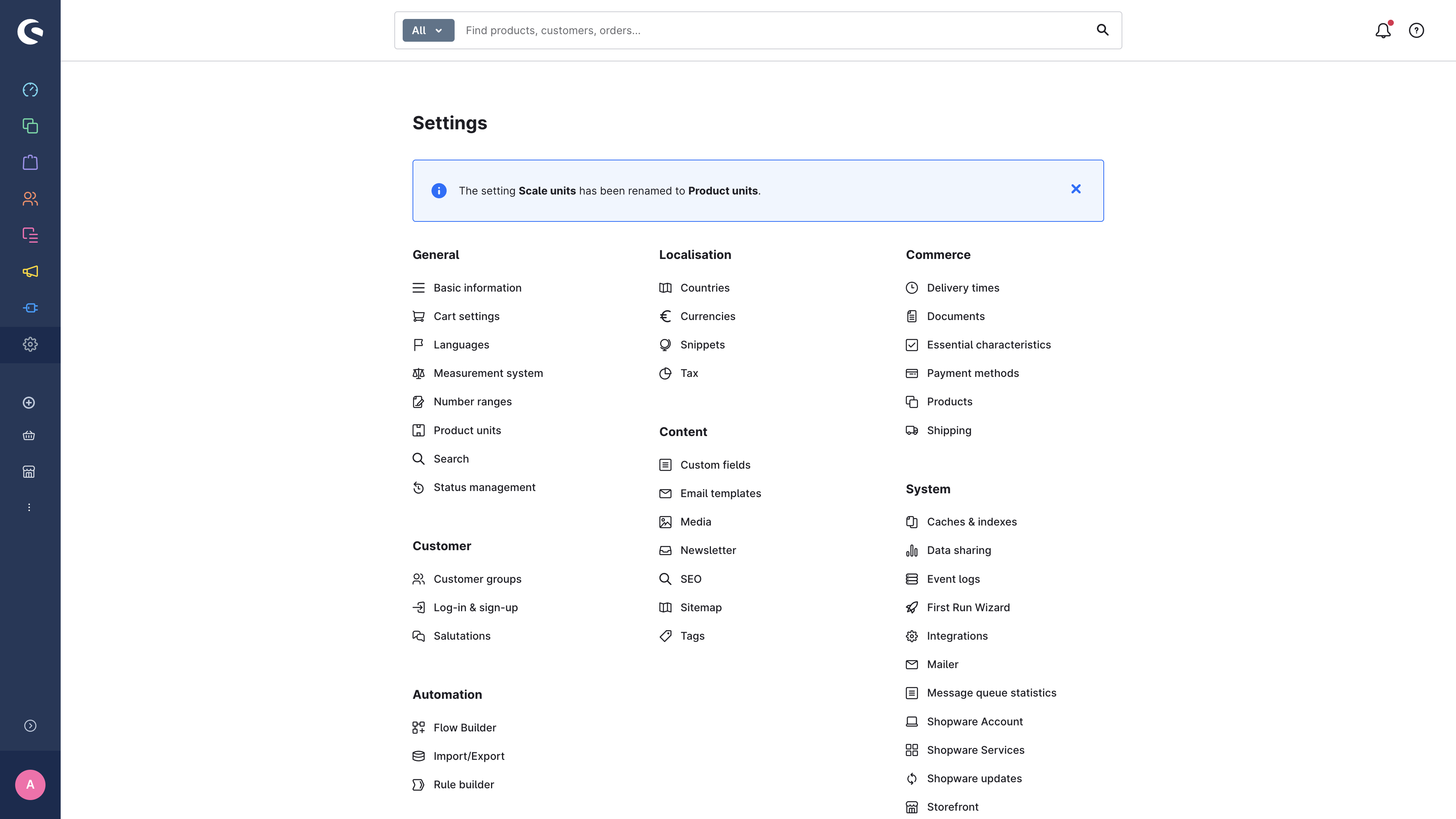
2.2 Open the UCP module
Click the entry and you land on the Sales-Channel list view. Every Sales Channel in the shop appears here with three pieces of information:
- Status — Active / Not configured
- Protocol version — the UCP date-based version (e.g.
2026-01-23) - Capabilities — how many capabilities are turned on
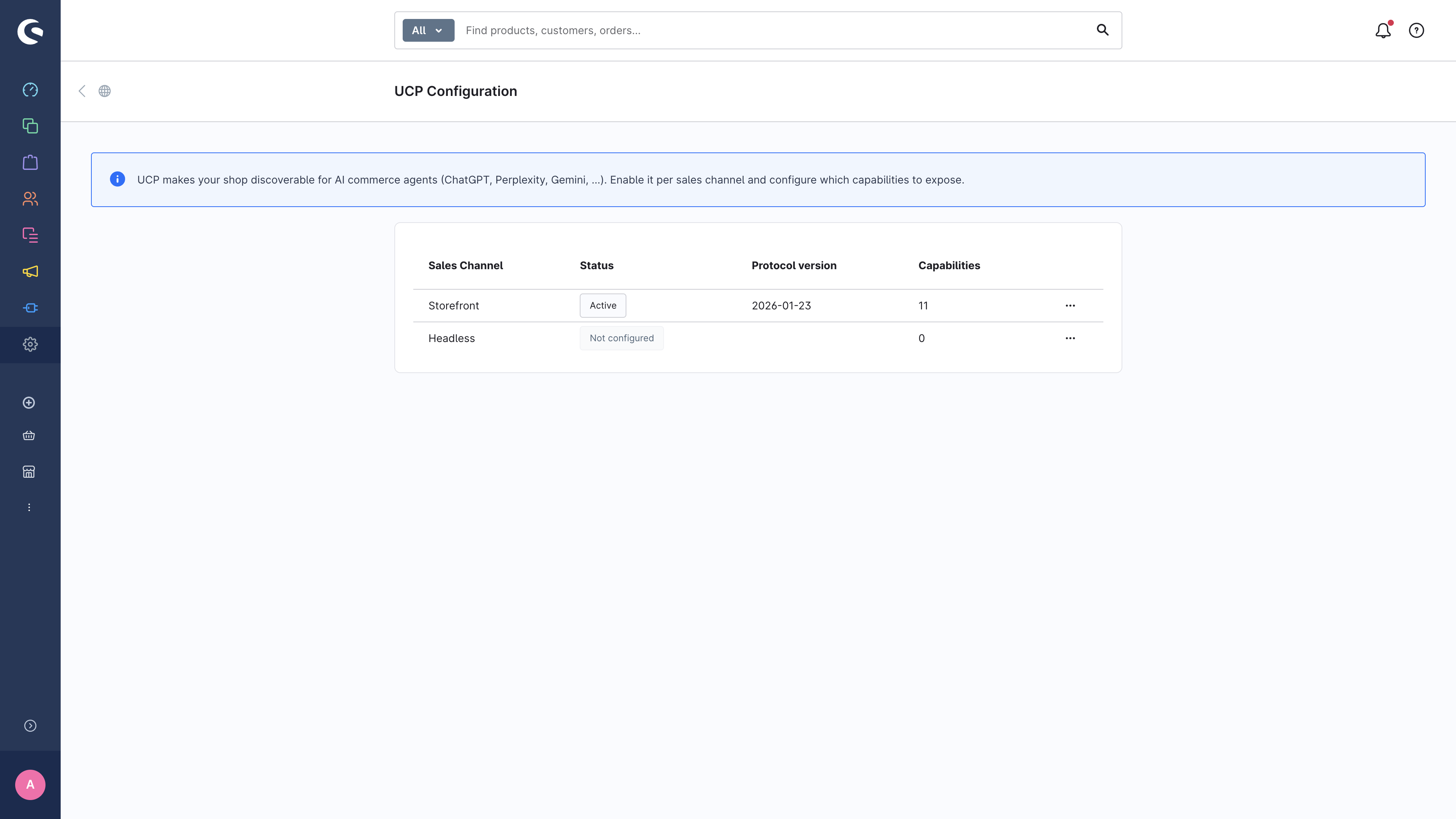
The "Storefront" channel above is already active and exposes 11 capabilities. The "Headless" channel has not been configured yet.
2.3 Configure a Sales Channel
Click the three-dot menu next to a row and choose Configure (or click the row directly). You land on the detail page, which is organised into cards for general settings, capabilities, transports, security, signing keys and profile preview.
The General card
The first card holds the master switch and a few channel-wide settings.
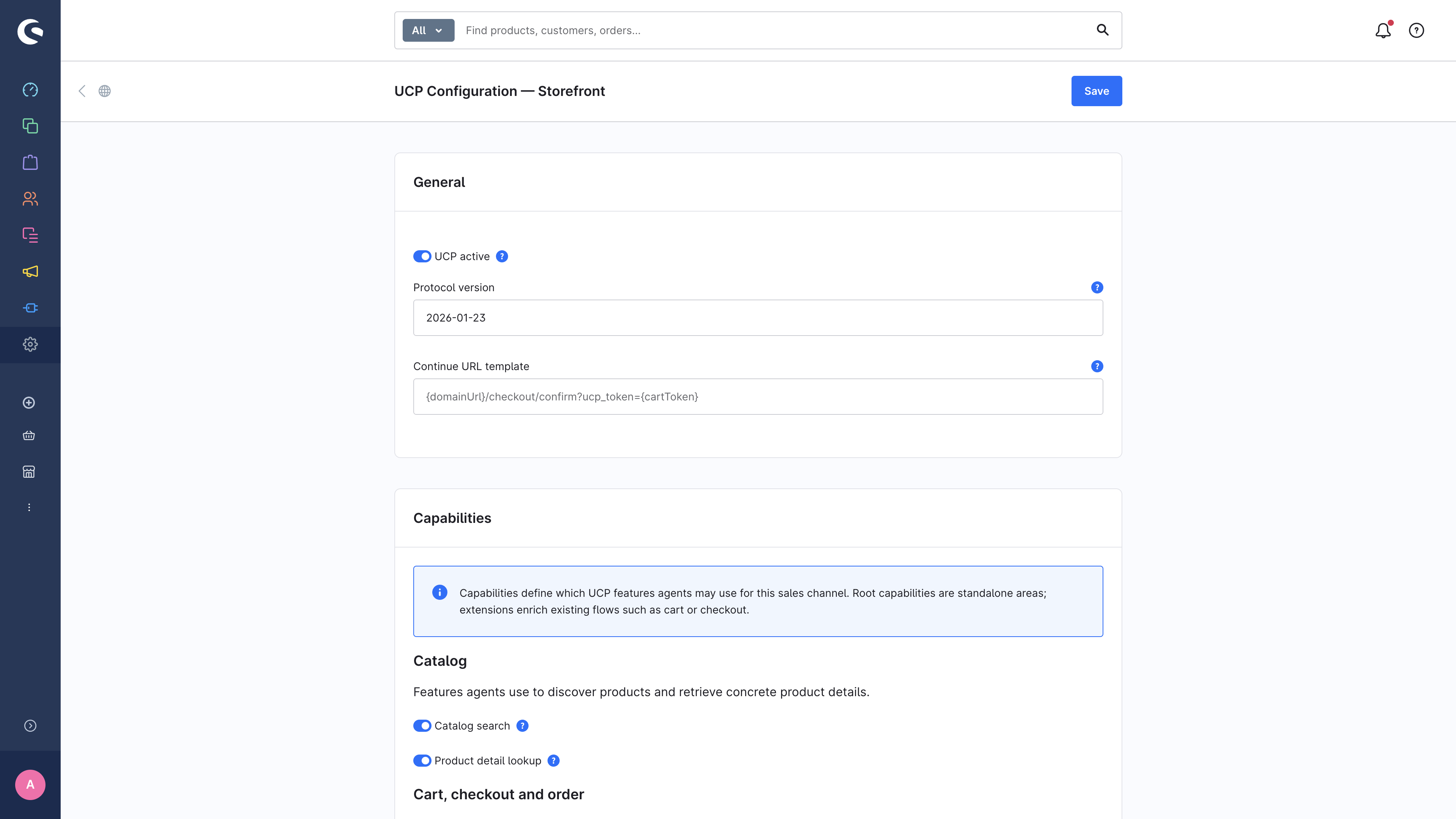
| Field | What it means |
|---|---|
| UCP active | The master switch for this Sales Channel. When off, /.well-known/ucp returns 404 for this channel's domain. |
| Protocol version | The UCP date-based version your shop advertises. Leave at the default unless you have a reason to pin an older version. |
| Continue URL template | The URL the platform uses when UCP cannot fully complete a checkout in-protocol (e.g. when a payment requires Strong Customer Authentication). Placeholders: {domainUrl}, {cartToken}. |
Hit Save at the top to persist your choice. Within a minute (cache TTL), the published profile reflects the change.
→ Next: Configuring capabilities