Configuring capabilities
The Capabilities card on the detail page is where you decide which UCP
3. Configuring capabilities
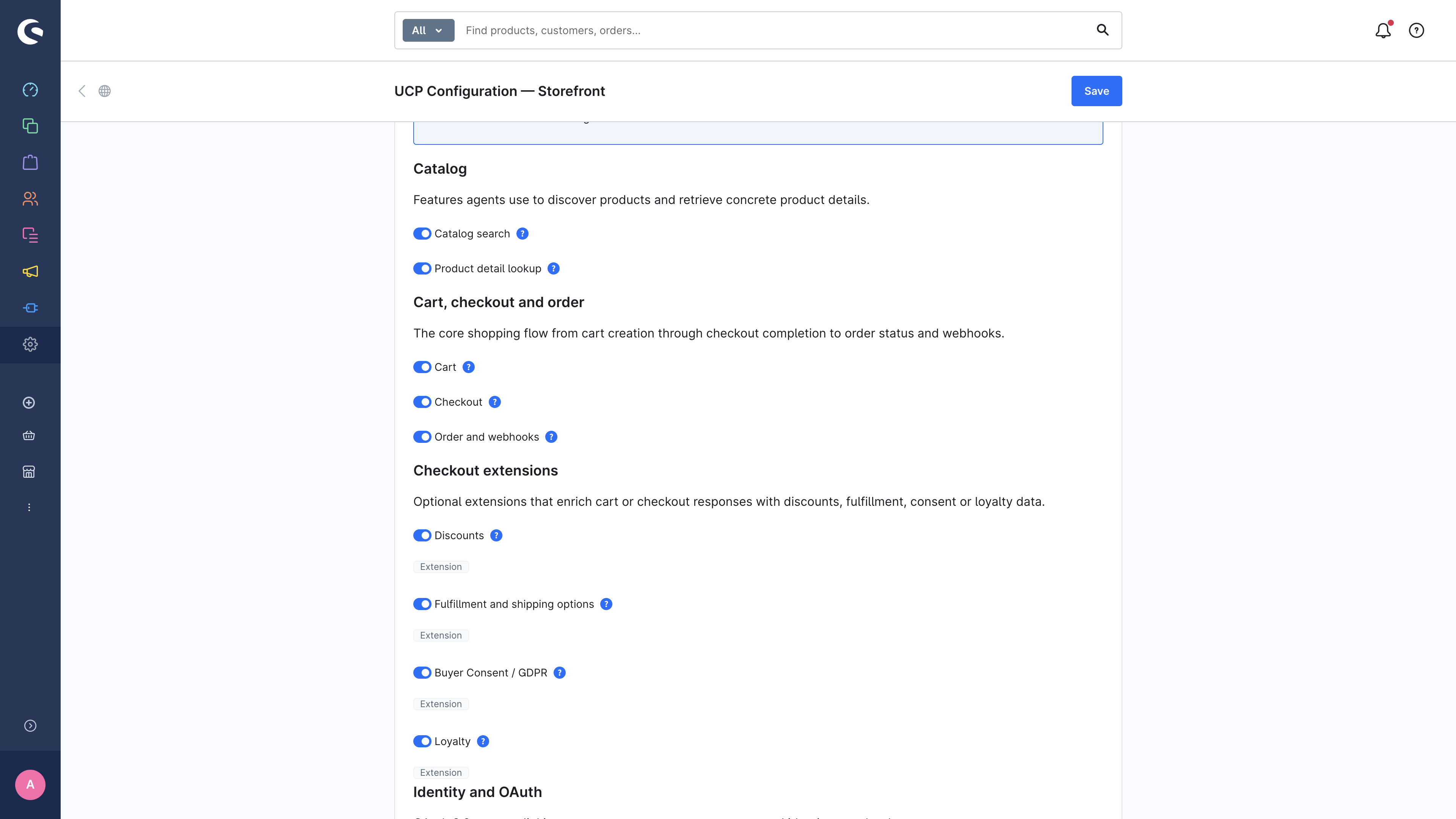
The Capabilities card on the detail page is where you decide which UCP features your shop exposes. The UI groups capabilities by how they relate to the buyer journey: catalog discovery, cart/checkout/order, checkout extensions, and identity linking.
3.1 Catalog capabilities
Catalog capabilities let agents find products before they start building a cart.
| Toggle | Capability ID | What an agent can do when enabled |
|---|---|---|
| Catalog search | dev.ucp.shopping.catalog.search | Free-text search and browse-with-filters across your products. |
| Product detail lookup | dev.ucp.shopping.catalog.lookup | Resolve product details for one or more product IDs, including single-product detail lookup. |
3.2 Cart, checkout and order
These are the core commerce building blocks. A normal end-to-end shopping flow needs all three.
| Toggle | Capability ID | What an agent can do when enabled |
|---|---|---|
| Cart | dev.ucp.shopping.cart | Create, update, and cancel a cart on behalf of the buyer. |
| Checkout | dev.ucp.shopping.checkout | Convert a cart into a checkout, complete with a chosen payment instrument. |
| Order and webhooks | dev.ucp.shopping.order | Let platforms read order state and receive signed order lifecycle webhooks. |
3.3 Checkout extensions
Extensions augment one or more root capabilities. They are marked with an
extension badge in the UI. An extension toggle has no effect unless its
parent capability is also active.
| Toggle | Extends | What it adds |
|---|---|---|
| Discounts | cart, checkout | Lets agents submit discount codes; pricing reflects applied discounts. |
| Fulfillment and shipping options | checkout | Exposes shipping destinations, methods, delivery dates, and fulfillment options. |
| Buyer Consent / GDPR (extension) | checkout | Surfaces and persists the buyer's consent state (marketing opt-in, T&Cs acceptance). |
| Loyalty | catalog, cart, checkout, order | Plugin-supplied loyalty integration. Only takes effect if a loyalty provider is installed and active. |
3.4 Identity linking
Identity linking enables OAuth 2.0 account linking. It is not required for anonymous shopping flows, but it lets a buyer deliberately connect a real Shopware customer account to a platform.
| Toggle | Capability ID | What an agent can do when enabled |
|---|---|---|
| Identity Linking (OAuth 2.0) | dev.ucp.common.identity_linking | Start an OAuth Authorization Code + PKCE flow, receive a bearer token, and call scoped user-specific UCP operations. |
3.5 Recommended default
For a typical B2C shop, the default set that the module pre-selects covers the full agentic buyer journey safely:
✓ Catalog search
✓ Product detail lookup
✓ Cart
✓ Checkout
✓ Order and webhooks
✓ Discounts
✓ Fulfillment and shipping options
✓ Buyer Consent / GDPR (extension)
✓ Identity Linking (OAuth 2.0)
Loyalty and AP2 Mandate are not enabled by default — they require a
plugin to be installed.
3.6 Picking transports
Below the capability list, the Transports card lets you pick which transport bindings to publish in the profile.
- REST is the baseline HTTP API under
/ucp/v1. - MCP exposes the same commerce operations as JSON-RPC tools under
/ucp/mcp, which is useful for agent runtimes built around the Model Context Protocol.
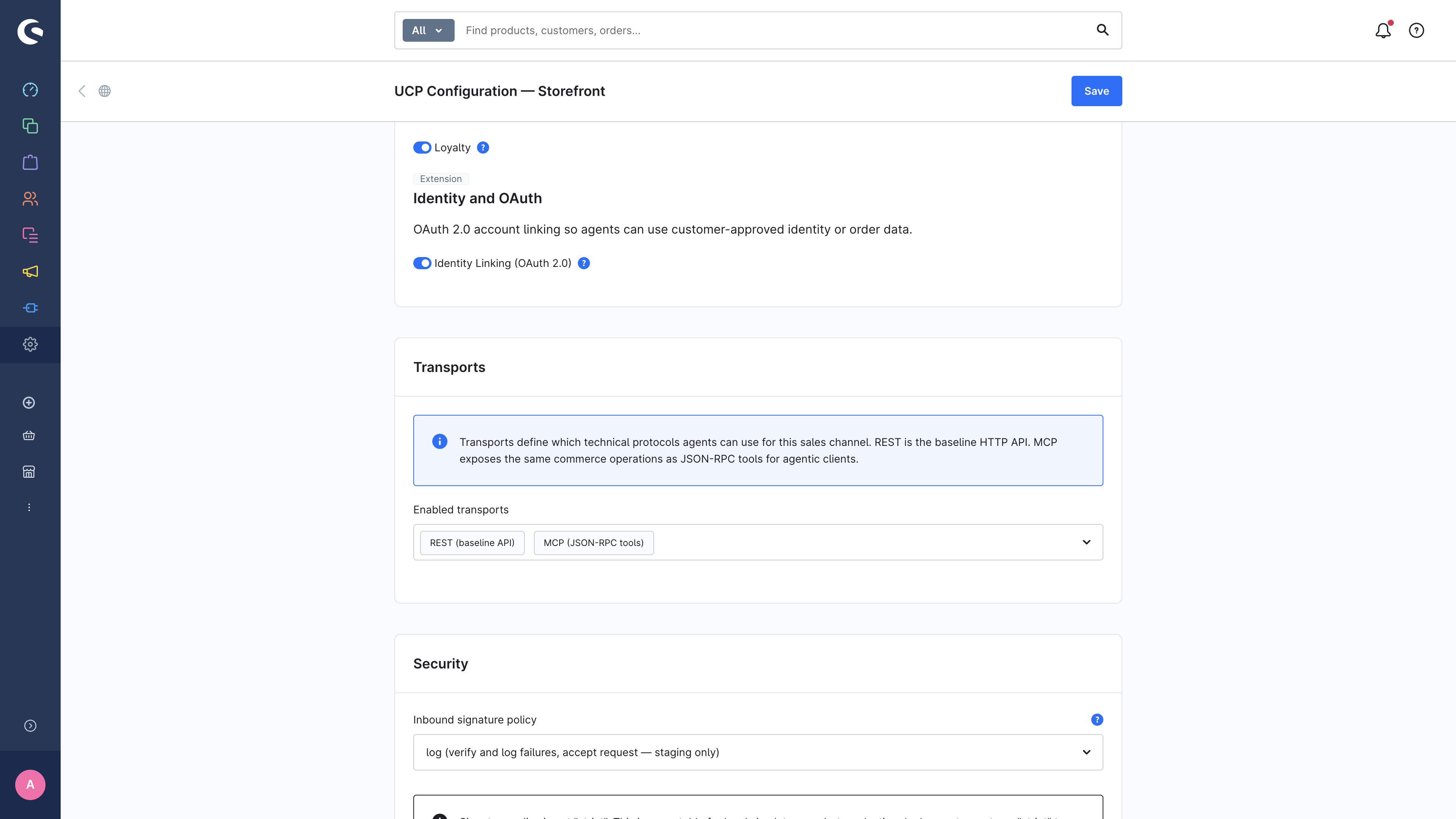
You can enable both at once — the simulator and most agents will pick their preferred binding automatically.
3.7 What an agent sees
When an agent reads /.well-known/ucp it sees the JSON below
(abbreviated):
{
  "ucp": {
    "version": "2026-01-23",
    "capabilities": {
      "dev.ucp.shopping.catalog.search": [ { "version": "2026-01-23" } ],
      "dev.ucp.shopping.cart": [ { "version": "2026-01-23" } ],
      "dev.ucp.shopping.checkout": [ { "version": "2026-01-23" } ],
      …
    }
  }
}
Each toggle on the page maps one-to-one to an entry in this object. To verify what your shop publishes right now, see Inspecting the published profile.
→ Next: Signing-key rotation