Signing-key rotation
UCP relies on cryptographic signatures so that agents can be certain a
4. Signing-key rotation
UCP relies on cryptographic signatures so that agents can be certain a
webhook (e.g. "this order has shipped") really came from your shop, and
not from an impostor. Your shop publishes its public signing keys in
the signing_keys array of /.well-known/ucp; the private counterparts
live encrypted at rest in your database.
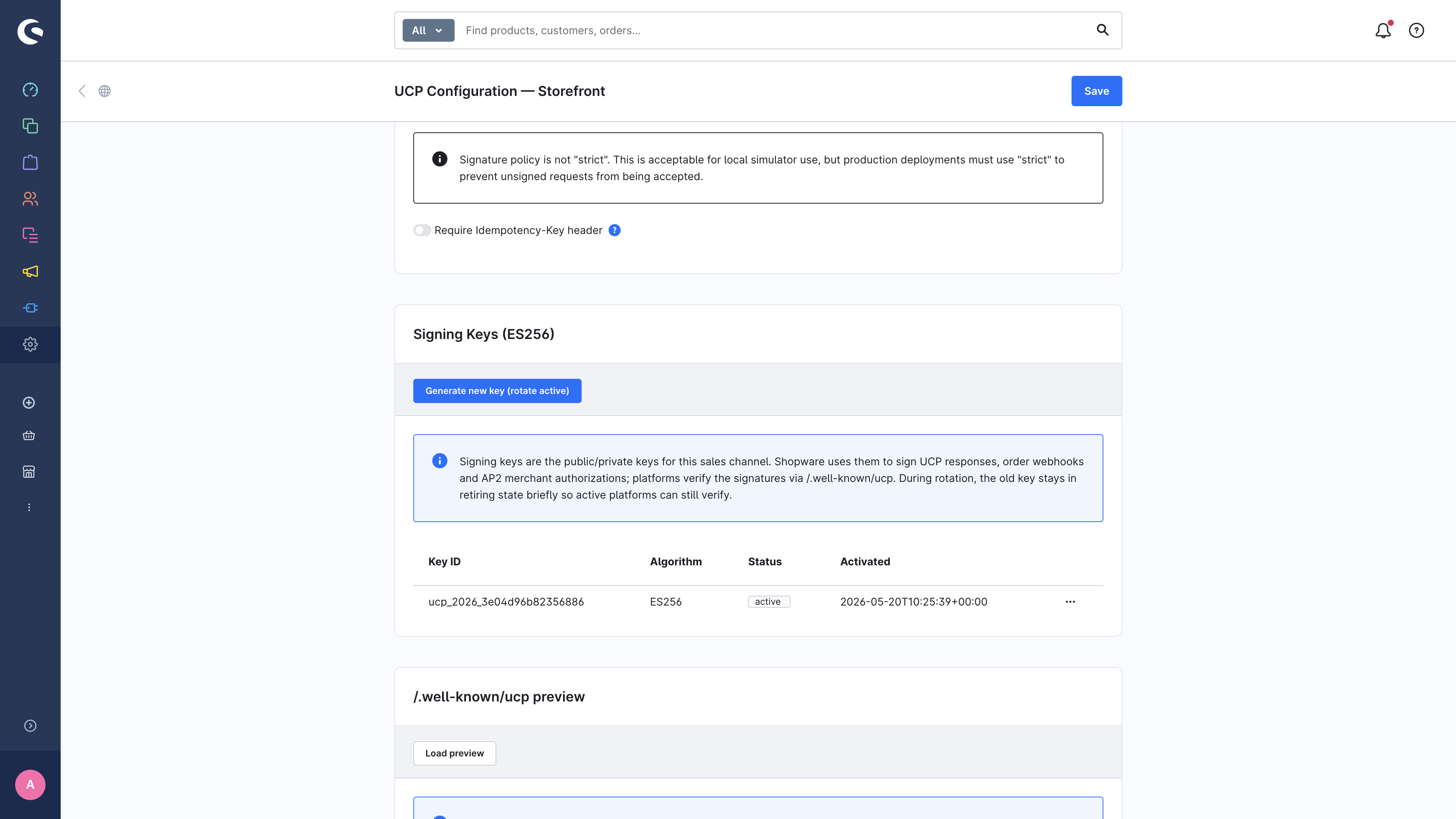
The Signing Keys card on the detail page is where you manage these keys.
4.1 Algorithm
Shopware UCP uses ES256 (ECDSA over the P-256 curve). This matches the algorithm UCP recommends and what the vast majority of agents accept by default. Other curves (P-384) are supported in the spec but not exposed in the UI today.
4.2 What you see
Each row is one key with:
| Column | Meaning |
|---|---|
Key ID (kid) | An immutable opaque identifier. Agents reference keys by kid when verifying signatures. |
| Algorithm | Always ES256 in this release. |
| Status | active — currently used to sign new webhooks; retired — no longer used to sign, but still published so agents can verify older signatures during the grace window. |
| Activated | Timestamp when the key first became active. |
4.3 Rotating a key
Click Generate new key (rotate active) at the top of the card. The system:
- Generates a fresh ES256 keypair.
- Marks the previous active key as
retired(but keeps it in the published profile for the grace window so agents holding cached signatures can still verify). - Starts signing all new webhooks with the new key.
There is no downtime — agents that fetched the profile in the last 60 seconds will already see the new key the next time they refresh, and even those who don't will still find the retired key in the profile and verify successfully against it.
4.4 Permissions
Key rotation is gated behind the dedicated ACL privilege ucp.key_rotator.
If you don't have it, the rotate button is disabled and a warning explains
why. Ask your shop administrator to grant the privilege under
Settings → System → Users & permissions → Roles.
4.5 What if a key is compromised?
If you have any reason to believe a private key has been exposed:
- Rotate immediately (instructions above).
- Manually retire the suspected key from the context menu on its row — this drops it from the profile straight away so agents can no longer verify any signature it produced.
- Notify affected agent platforms out-of-band so they can re-verify any recent orders against the new key.
The key material itself is never visible in the admin UI and never logged.
It is encrypted at rest in the database using AES-256-GCM with a key
derived from APP_SECRET.
→ Next: Inspecting the published profile