Inspecting the published profile
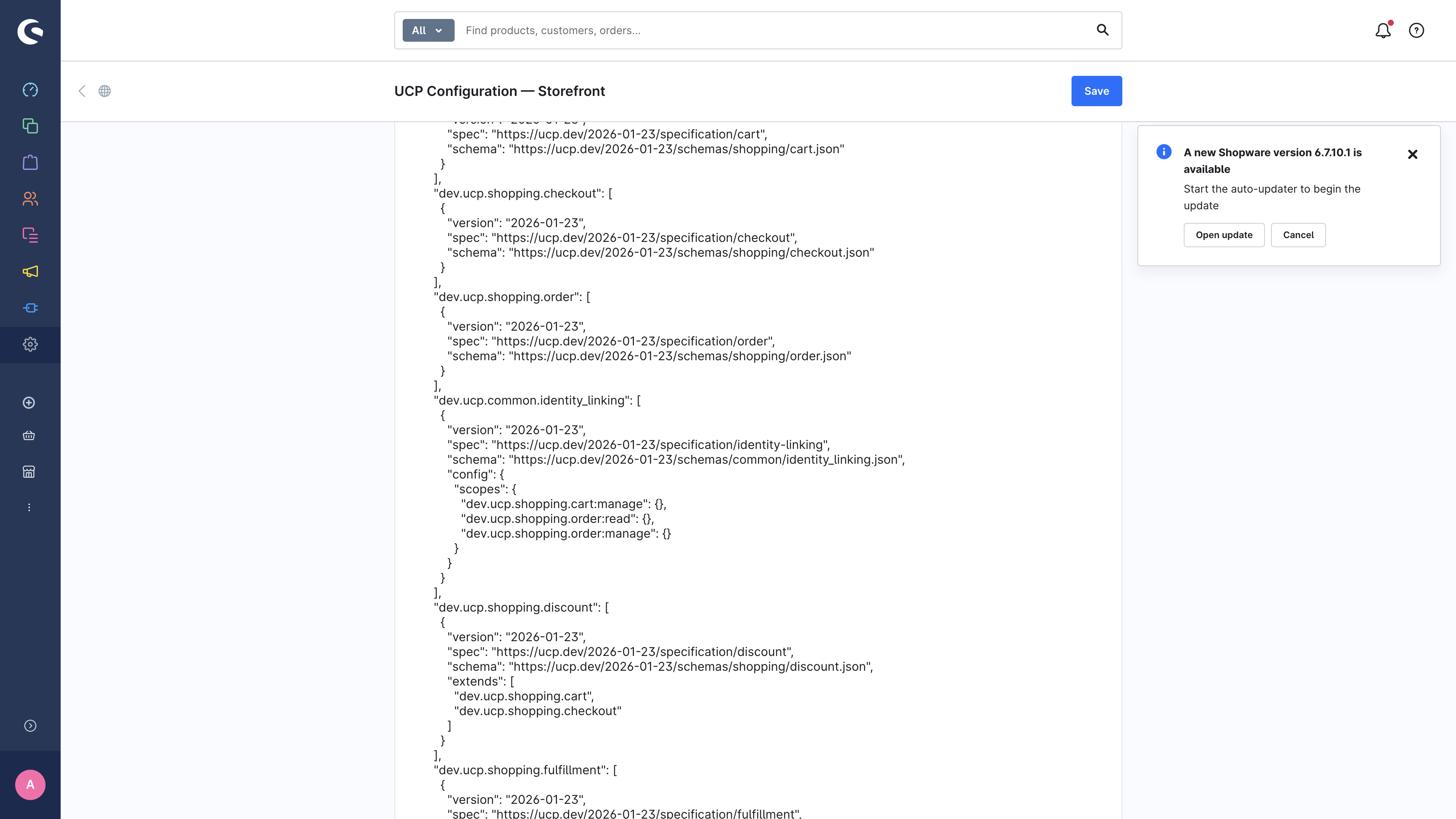
Once you've configured a Sales Channel, the Profile Preview card lets
5. Inspecting the published profile
Once you've configured a Sales Channel, the Profile Preview card lets
you see exactly what an agent fetches from /.well-known/ucp — without
having to leave the admin or open a separate tool.
5.1 Loading the preview
Click Load preview in the card header. The server builds the profile exactly as it would be served by the public endpoint and renders it as prettified JSON.
This is useful when:
- You've toggled a capability and want to confirm it now appears.
- You're debugging why a specific agent says it can't find a capability.
- You need to share the profile shape with a developer or partner agent.
5.2 Fetching from the public endpoint
To verify what real agents see, just curl (or Invoke-WebRequest on
Windows PowerShell) the public URL:
curl -s https://your-shop.example.com/.well-known/ucp | jqA sample response from a local Dockware test setup is bundled with this documentation at ../images/storefront/well-known-ucp-sample.json. It includes:
- The
ucp.version(date-based, e.g.2026-01-23) ucp.services— the REST, MCP, A2A, and Embedded endpointsucp.capabilities— one entry per enabled capabilityucp.payment_handlers— the payment handlers your shop acceptssigning_keys— your public keys (private parts stay on the server)
5.3 What if the profile is empty?
If the preview shows only { "ucp": { "version": "…" } } with no
capabilities:
- Open the Capabilities card and confirm that at least one root capability is toggled on.
- Confirm UCP active is on in the General card.
- Click Save. The profile is regenerated on the next request.
5.4 Caching
The profile is served with Cache-Control: public, max-age=60. Changes
made in the admin will appear in the profile within a minute. If you
need to verify a change immediately, append a cache buster to the URL or
clear your browser cache.